
Personalized. Intelligent. Yours.
As customers demand more from their connected systems, you need an interface that can keep up. Control4 X4 fundamentally transforms the way your customers interact with Control4.
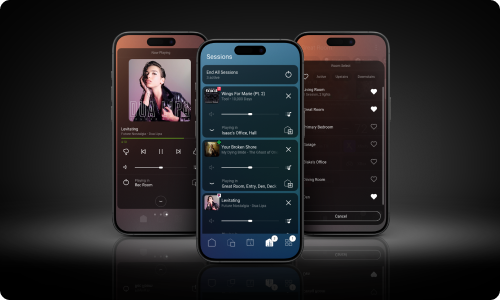
X4 is an evolution — from an operating system to a smart living experience. The X4 interface features a powerful home screen, curated routines, and Apple HomeKit Integration, among other breakthrough updates.*
With Control4 X4, your customers become empowered with a system that adapts to their needs and delivers convenience and personalization. Give them a smart space that truly complements their preferences and lifestyle.
New X4 systems no longer require Connect.
Say Hello To Home Screen
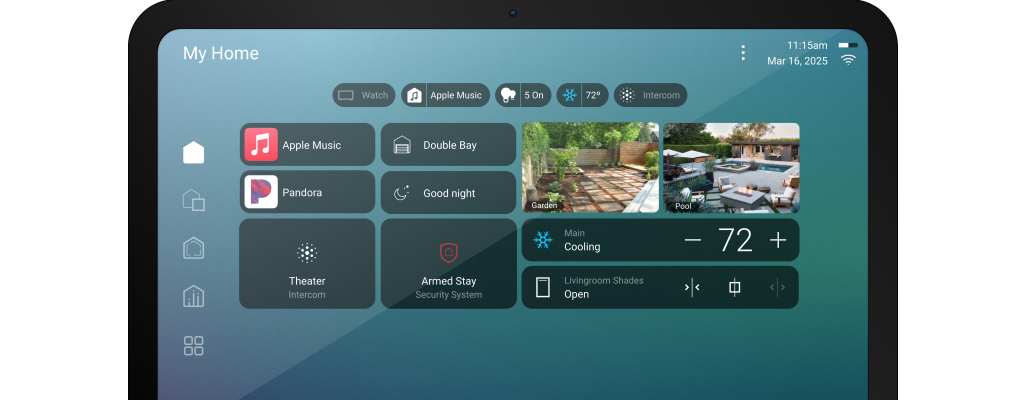
Introducing Home Screen: the new hub for a seamlessly connected living experience. Users can control and monitor favorite devices in the project from a single, intuitive screen.
Enhance Personalization
Widgets
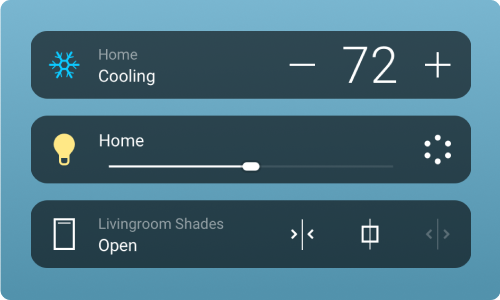
Personalized widgets allow users to organize their home screen however they like and get quick access to frequently used functions such as cameras and device status. With the ability to swap out, resize, and rearrange, widgets optimize your home screen and room view layout.
Routines
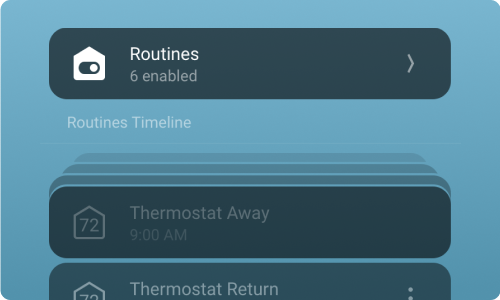
With X4’s new Routines feature, users can create automated actions tailored to their lifestyle. Routines are created scenes with schedules but even more flexible and interactive. That means your customers can make the basic changes they want, when they want, letting you spend your time on what matters most.
Expanded Apple Integration
Customers can now independently manage devices, access scenes, and convert all devices in the Apple ecosystem into personalized interfaces without needing an integrator. Everything from CarPlay, Apple widgets, and, of course, Siri. Additionally, with X4, the Triad SA-1 now supports Apple Airplay 2.**
Now’s the Time to Upgrade
We know it’s important to offer your customers the latest technology, and X4 delivers with state-of-the-art personalization. X4 offers an excellent opportunity to revisit previous Control4 projects and offer your customers an upgrade to their existing devices. Plus, you can get a discount on eligible Control4 products when you upgrade and optimize your customers’ systems.†
Resources to Enhance Your X4 Journey
X4 Dealer Tools
Guides to help you build a rollout plan, prep customer systems, set up your showroom, and train your team.
X4 Marketing Toolkit
Pre-written emails, social posts and customer-facing assets, including a sales sheet and video, to use with new customers and existing upgrading customers.
Connect Updates
Overview of the Connect Invitation Process and Demo Plans, including how to assign licenses in OvrC, notify customers, and promote the value of Connect.